
£8.67
Add to Cart
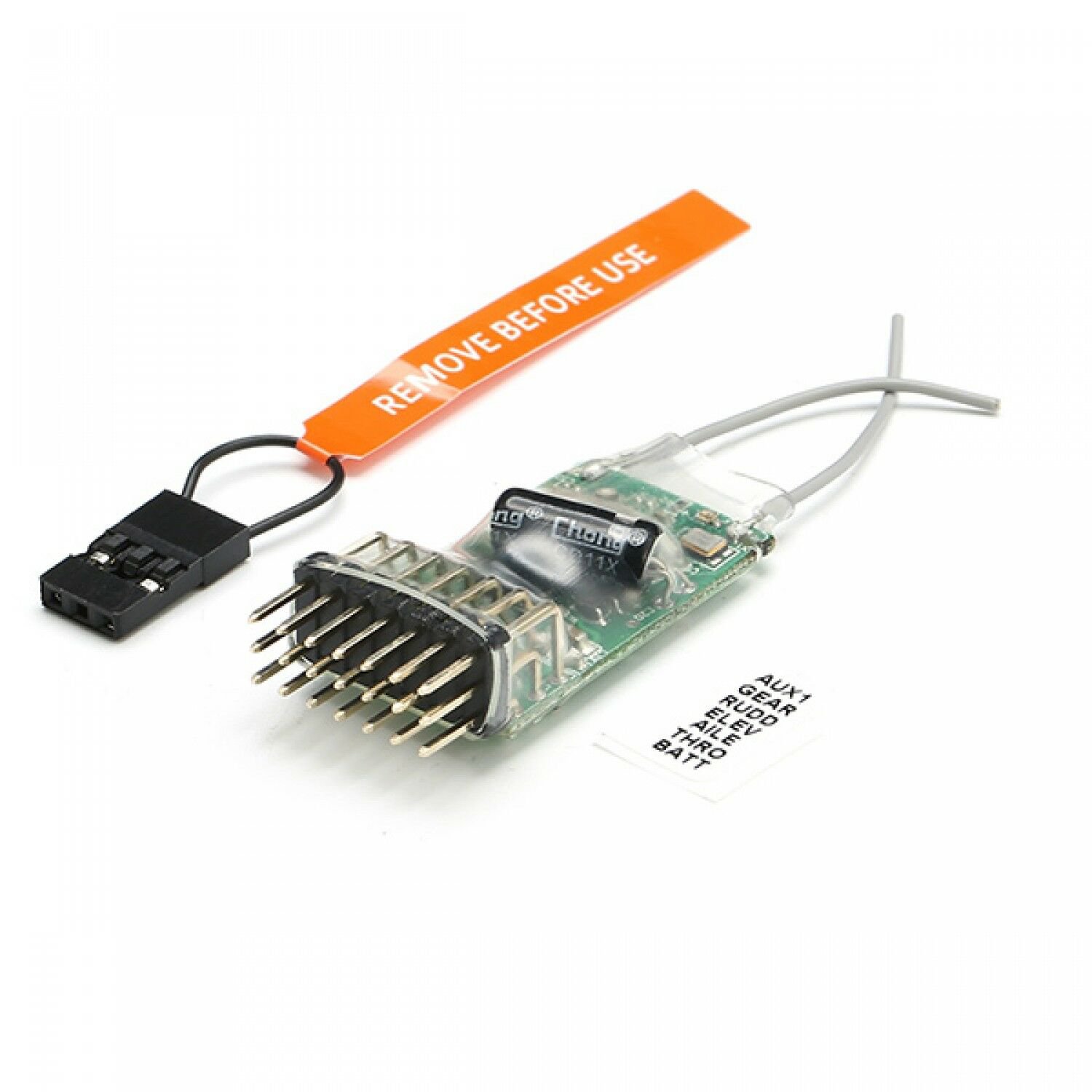
REDCON 2.4G 6CH Microlite DSM2 Compatible Full-Range Receiver CM621 For Rc Airpl
More than 10 available, 1 sold
Details
Shipping: United Kingdom: £3.00 (more destinations)
Condition: Brand new
*The store has not been updated recently. You may want to contact the merchant to confirm the availability of the product.


REDCON 2.4G 6CH Microlite DSM2 Compatible Full-Range Receiver CM621 For Rc Airpl Description: Brand Name: REDCONItem Name: CM621 receiverFor band: 2.4GHzChannel: 6Modulation: DSM2For dimensions (W x Lx H): 19 x40x9mmWeight: 4.4gVoltage Range: 4-10vBrown-Out Voltage: 4.0v (Always supply power above this voltage)Antenna Length Main RX: 30mmExpected Range: 400m (tested with JR DSX9)Compatibility (Spektrum and JR DSM2): DX6I,DX7,DX8 DSX7,DSX9 DSX11Features:Patent pending Model Match prevents flying a model using the wrong model memory (feature does not work with module systems).Servo Sync (feature does not work with module systems)Preset failsafe system.Quick ConnectHorizontal-Pin configurationRed LED indicates number of holdBinding Procedure:1. Put the binding harness into connector location marked BATT. Next apply power to the receiver. Receiver LED should illuminate it means bind is accomplished2. To set fail-safe throttle and control surface positions, (minimum throttle and all control surfaces set to neutral is suggested). Press and hold the bind button of transmitter (LED will illuminate), Turn on the transmitter.3. Receiver LED will change from rapid flashing to slow flashing and a few seconds later when bind is accomplished the LED of receiver will illuminate solid. All fail-safes should be programed correctly now.4. Remove binding harness from the BATT channel. Restart the receiver by cycling it power off and turn on and connect battery into BATT channel is recommended. All channels should function properly now. You may test fail-safe by holding sticks in corner, cycle transmitter on and off. Surfaces and throttle should return to your preset fail-safe positions.Note:Only one bind procedure is required on a new receiver. Repetitive binding provides no extra security. Always remember to remove the binding harness after successful bind is completed.Wireless Simulator Interface(W.D.S.C):- Main receiver and satellite must connect.- Receiver must bind with transmitter first (AUX4 channel do not plug binding harness)- AUX3 is the (W.D.S.C) channel, connect with simulator line- BIND channel and AUX4 channel plug the binding harness- Apply power to the receiver with USD line or battery- Turn transmitter on, now both LEDS keep light and simulator works.LED Indication:- Solid illuminated Red LED is indicates good signal. If flashing, 1 flash indicates 1 signal loss, 2 = 2 signal losses and etc....- The Orange LED on main receiver should flash one time when power is first applied. It will flash several times when binding harness is connected. It should stay illuminated if main receiver losses signal but the Satellite is still working.- The Orange LED on the Satellite will flash one time when power is first applied. It will flash several times during binding process. It will stay illuminated when satellite is functioning normally.Package Included:1x REDCON CM621 Receiver1X Bind plug Specifications: Brand Name:REALACCUse:Vehicles & Remote Control ToysRemote Control Peripherals/Devices:ReceiversMaterial:Composite MaterialRC Parts & Accs:ReceiversFor Vehicle Type:AirplanesTool Supplies:Assembly CategoryFour-wheel Drive Attributes:ReceiverUpgrade Parts/Accessories:Receiver
Other Products from dnrchan (View All)
-
£10.06
-
£4.66

-
£5.82

-
£6.63
-
£6.03

-
£4.61

-
£6.66
-
£8.00

-
£6.66

-
£4.61


 CN, Shenzhen
