
£8.52
On Hold
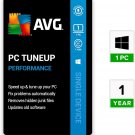
AVG PC TuneUp 1 PC 1 year Windows Key Digital Delivery

10 available
Details
Shipping: United Kingdom: free (more destinations)
Condition: Brand new
Returns: does not accept (more)
*The store has not been updated recently. You may want to contact the merchant to confirm the availability of the product.


You get the serial number after payment. After registering on the AVG website, you will receive a permanent license number without reference to the country of activation.
Three simple steps to activate and install the product:
Register your serial number at: https://www.avg.com/en-us/activation and get a permanent license number;
Download the software product at the link http://files-download.avg.com/inst/mp/AVG_PCTuneUp_765.exe;
Install the program on your PC (during installation, you will need to enter the license number obtained after registering the product)
Download version for Windows x64: https://www.avg.com/download-thank-you.php?product=TUH-PAID-WIN64
Download version for Windows x32: https://www.avg.com/download-thank-you.php?product=TUH-PAID-WIN32
AVG PC TuneUp is a set of useful tools with which you can increase the speed of the processor,
clean it of unnecessary data, including extending the life of the computer.
Features AVG PC Tuneup:
Disabling unused functions and programs to free resources;
Search for programs that slow down the start and shutdown of the computer;
Correction of the reasons slowing down the startup process;
Identification and removal of underutilized programs;
Optimization of the function of reading and writing information on the hard drive;
Checking the hard drive for duplicate files, including if they have different names, and recommendations that can be safely removed from them;
Analysis of the internal and external hard drive determines the 100 most voluminous files and offers to delete them at the discretion of the user;
The ability to delete unnecessary hidden data from the Windows Store and Windows 8 and 8.1 applications, freeing up disk space;
Deletes old and damaged files from the browser, while freeing up disk space;
Disables unused Windows components that consume disk space;
The saving mode significantly increases the battery life by disabling unnecessary background processes and reducing energy consumption by external and internal devices;
Troubleshooting hard drive problems;
Registry editing and complete protection against accidental errors.
Three simple steps to activate and install the product:
Register your serial number at: https://www.avg.com/en-us/activation and get a permanent license number;
Download the software product at the link http://files-download.avg.com/inst/mp/AVG_PCTuneUp_765.exe;
Install the program on your PC (during installation, you will need to enter the license number obtained after registering the product)
Download version for Windows x64: https://www.avg.com/download-thank-you.php?product=TUH-PAID-WIN64
Download version for Windows x32: https://www.avg.com/download-thank-you.php?product=TUH-PAID-WIN32
AVG PC TuneUp is a set of useful tools with which you can increase the speed of the processor,
clean it of unnecessary data, including extending the life of the computer.
Features AVG PC Tuneup:
Disabling unused functions and programs to free resources;
Search for programs that slow down the start and shutdown of the computer;
Correction of the reasons slowing down the startup process;
Identification and removal of underutilized programs;
Optimization of the function of reading and writing information on the hard drive;
Checking the hard drive for duplicate files, including if they have different names, and recommendations that can be safely removed from them;
Analysis of the internal and external hard drive determines the 100 most voluminous files and offers to delete them at the discretion of the user;
The ability to delete unnecessary hidden data from the Windows Store and Windows 8 and 8.1 applications, freeing up disk space;
Deletes old and damaged files from the browser, while freeing up disk space;
Disables unused Windows components that consume disk space;
The saving mode significantly increases the battery life by disabling unnecessary background processes and reducing energy consumption by external and internal devices;
Troubleshooting hard drive problems;
Registry editing and complete protection against accidental errors.
You may also be interested in:
-
£63.80

-
£10.51

-
£6.76
-
£6.00

-
£17.26

-
£6.76
-
£9.01

-
£12.75
-
£6.00

-
£8.26



 UA, Sumy region
