
£40.26
Add to Cart
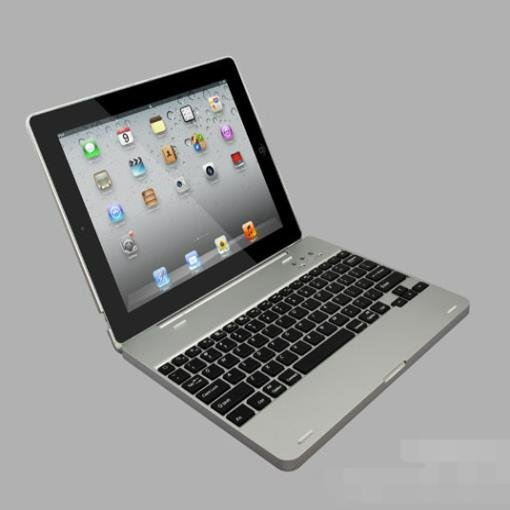
Compatible Ith Apple , Ipad3/2 Notebook Flip Cover Bluetooth Keyboard


10 available
Details
Shipping: United Kingdom: free (more destinations)
Condition: Brand new
Returns: 30 days, buyer pays return shipping (more)
*The store has not been updated recently. You may want to contact the merchant to confirm the availability of the product.
Note:Non-Apple branded products,Compatible with iPhone modelsproduct information Name: Apple Tablet ipad2/3/4 Flip Design with Mobile Power Bluetooth Keyboard Applicable models: for Apple tablet ipad2/3/4 Number of keys: 78 (key) Color: silver, pink, black, white Main material: selected ABS plastic material, ABS buttonBluetooth chip and version: American Broadcom chip Bluetooth 3.0 Built-in rechargeable lithium polymer battery, can be fully charged in about 7-8 hours Battery capacity: 4000 mAh Working voltage: 3.0~5.0V Standby time: 60 days Key life: 100 million Effective use distance: 10 meters Additional accessories: with charging USB cable, English manual Size and weight: Product size: 24.7*19.5*2.2cm Color box size: 31*23.2*5.0cm Gross weight of individual products: 0.9kg Individual product net weight: 0.62 kg Applicable occasions: use, send friends, give gifts, give promotions to commercial activities, be prizes, employee benefits, etc.Bluetooth connection method: 1. Turn on the power switch (ie, turn the switch from OFF to NO), it will light blue when it is turned on normally (it will turn off automatically after about 3 seconds) 2. After turning on the power, press the Bluetooth pairing switch (the one with the transmitting indication is the Bluetooth pairing switch). When the Bluetooth pairing is turned on, the indicator light will flash blue and flash. This means that the Bluetooth can be paired. 3. After the keyboard Bluetooth is turned on, the Bluetooth on the machine is turned on (usually in the settings), the Bluetooth of the machine is turned on and the Bluetooth of the Bluetooth keyboard is searched (usually the Bluetooth Keyboard is displayed) and then the connection is clicked. 4. After clicking, a prompt dialog box will appear, there will be a pairing password (the password is generally a number), enter the matching password according to the prompt on the keyboard, and then press enter to confirm the pairing, if the connection is completed. On the successful machine, the connection will be displayed, indicating that the connection is successful and the Bluetooth keyboard can be used.


 GR, LESVOY
